Reclaim seats
Inactive users keep consuming paid licenses until someone removes them. The Reclaim seats tab finds accounts that hold a billable seat but haven't been active, estimates the annual saving, and lets you free the seats — by removing the user from the group that grants the licence.
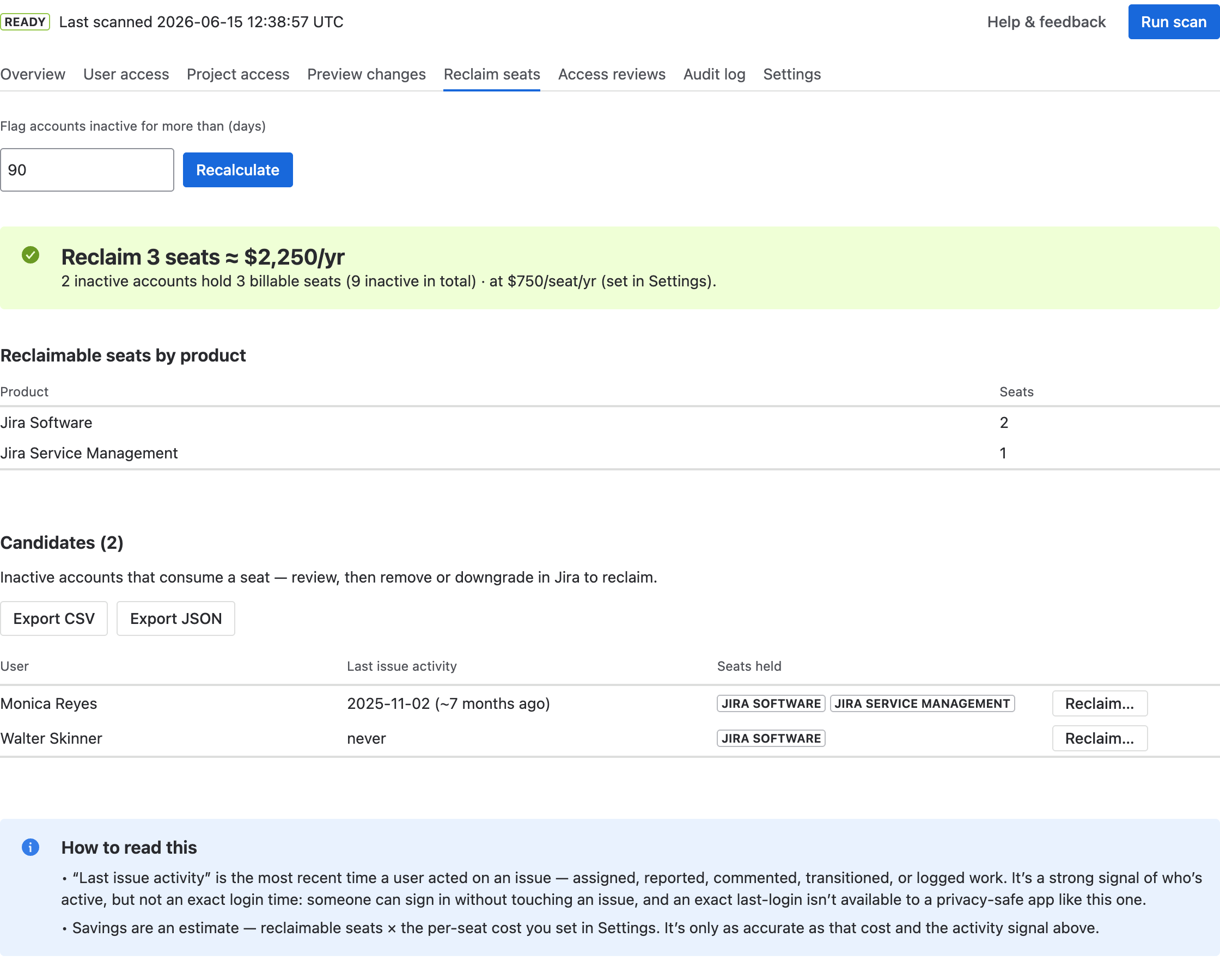
Set an inactivity threshold and the tab shows how many seats you could reclaim, the
estimated yearly saving, and exactly which inactive accounts hold a seat.
How to use it
- Set the inactivity threshold in Flag accounts inactive for more than (days) and select Recalculate. (The default comes from Settings.)
- Read the headline — e.g. “Reclaim 3 seats ≈ $2,250/yr” — and the Reclaimable seats by product table.
- For any candidate, select Reclaim… to remove them from the seat-granting group(s). It's the same preview → confirm → apply → undo flow as Preview changes, and every action is recorded in the Audit log. Run a scan afterwards so the figures refresh.
Reading the results
- Headline — the seats you could reclaim and the estimated annual saving (reclaimable seats × the per-seat cost you set in Settings).
- Candidates — each inactive seat-holder, their last issue activity (with how long ago), and the seats they hold. Sort by any column, and Export CSV/JSON for the full list.
Confirm before you remove
- “Last issue activity” is a signal, not a login time. It's the most recent time someone acted on an issue — a strong indicator of inactivity, but a privacy-safe app can't see exact last-login times. Confirm a person is really inactive before removing them.
- The saving is an estimate — only as accurate as the per-seat cost you set in Settings.
- If a user's seat comes from a directly assigned grant or an externally-managed (SCIM) group, the app can't change it automatically and will point you to the right place to do it.