Audit log
The Audit log is the evidence trail — an append-only record of every scan, access check, review, and applied change, with who did it and when. It's also where you can undo any change the app applied.
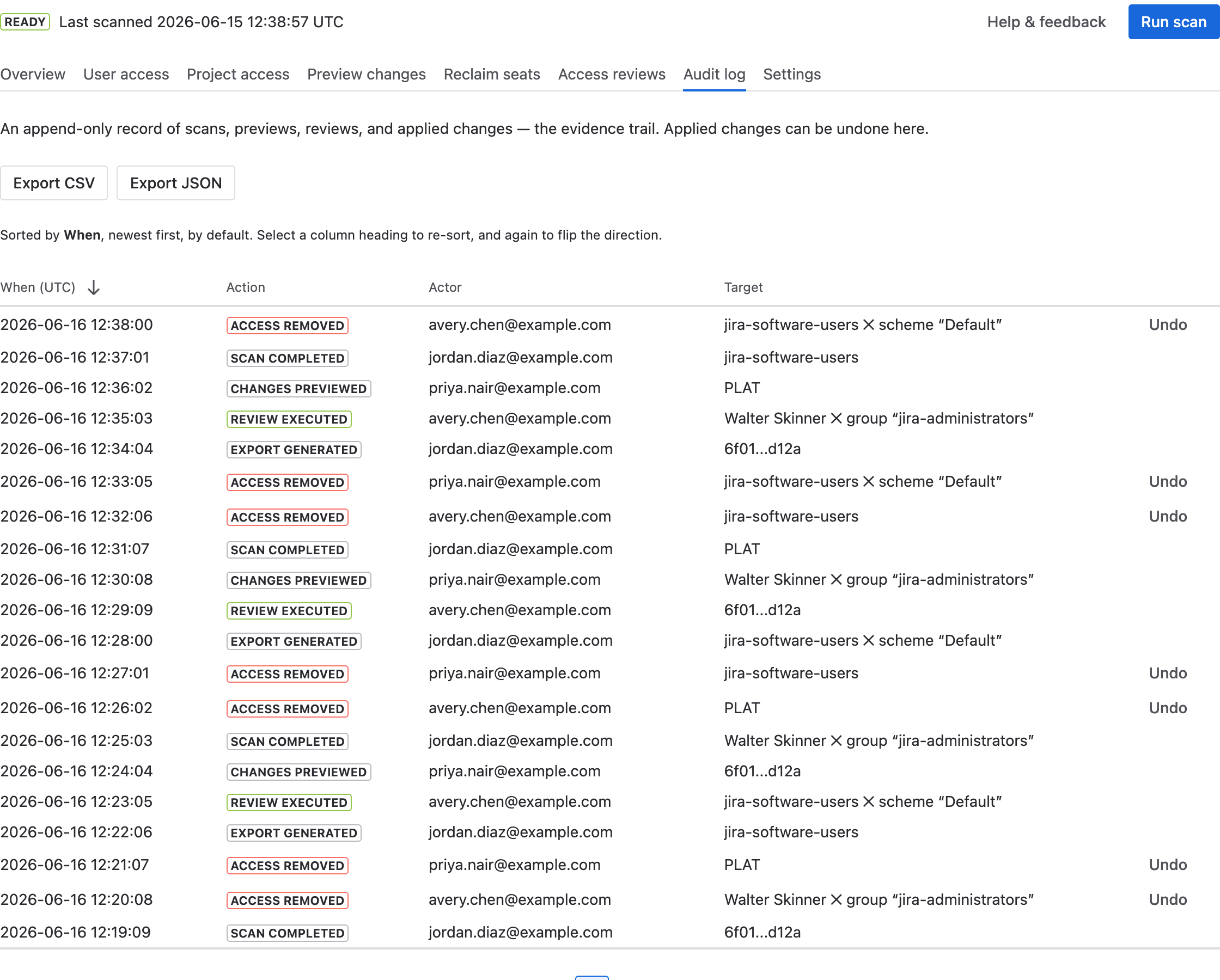
Every action the app takes is recorded with a timestamp and the admin who triggered
it. Applied changes carry an Undo button.
How to use it
- Browse recent activity — it's sorted by When, newest first. Select a column heading to re-sort, and again to flip the direction.
- To reverse a change, find its Access removed entry and select Undo. The undo takes effect in Jira immediately and is itself recorded.
- Select Export CSV or Export JSON to save the trail (up to 1,000 entries) for compliance records.
Reading the log
- When (UTC) — the timestamp of the action.
- Action — what happened: scans started/completed, access checks, previews, reviews, and applied or undone changes.
- Actor — the administrator who triggered it (or “system” for scheduled scans).
- Target — what was scanned or changed (a project, group, user, or review).
The log is append-only: entries are never edited or deleted, so it stands as a faithful record. Combined with the per-review exports from Access reviews, it's the evidence you'd hand to an auditor.